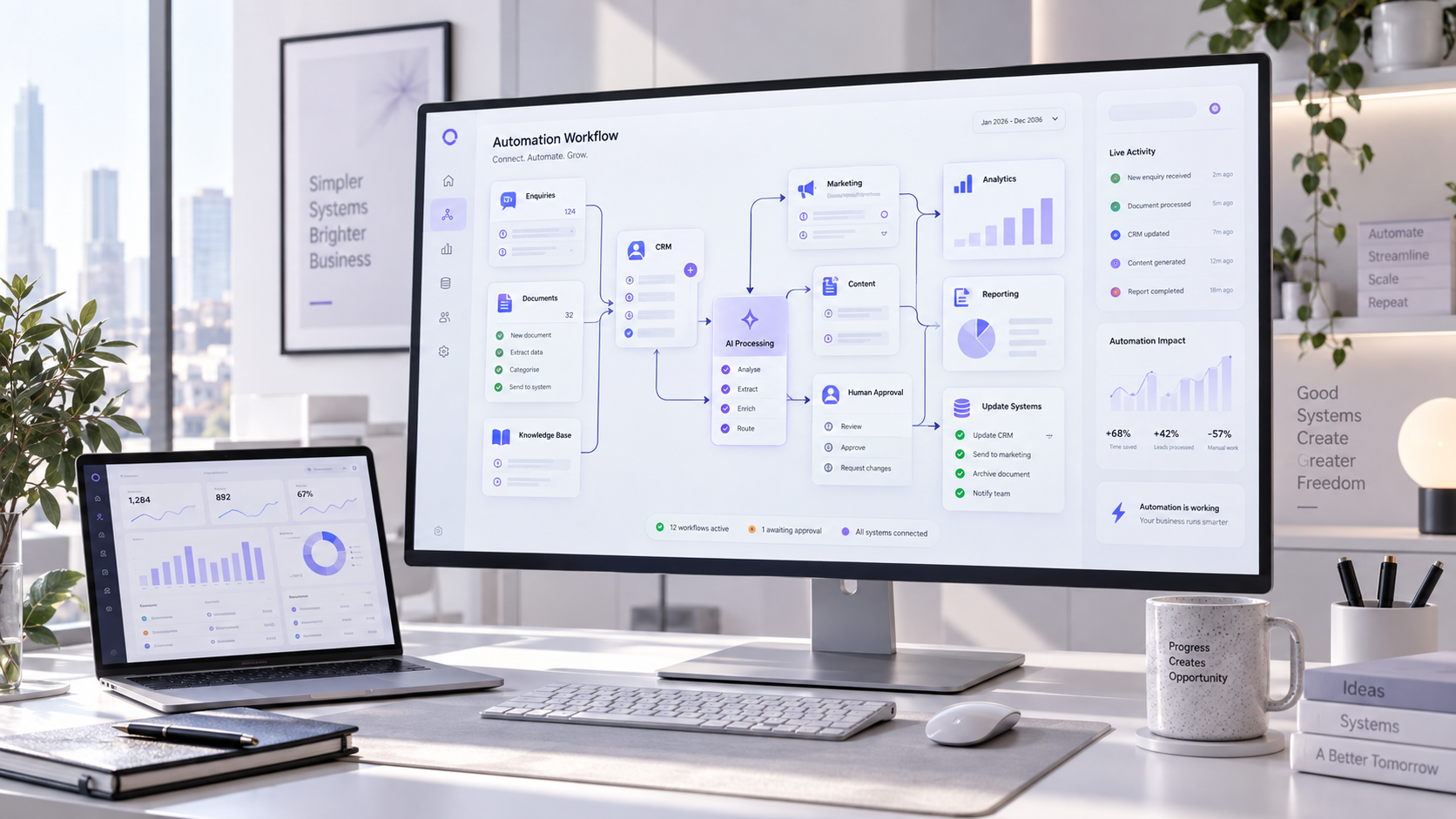
AI and automation are becoming part of everyday business infrastructure, but adding more tools does not automatically create better results. A disconnected chatbot or unreliable workflow can create more work than it removes.
The strongest systems begin with a real operational problem. They use the simplest suitable technology, connect with existing processes and keep people involved wherever judgment, accountability or customer trust matters.
Start with a measurable business bottleneck
AI projects often begin with a tool, model or platform. A more reliable starting point is the recurring problem the business needs to solve: delayed responses, repeated manual effort, inconsistent decisions or unnecessary customer friction.
The opportunity becomes stronger when the task happens frequently, follows recognisable patterns and has a clear owner. Define the current time, cost and error rate before choosing the technology.
Define success before selecting the system
- Identify the task or decision that needs to improve.
- Measure how often the problem occurs.
- Confirm who owns the process and its final outcome.
- Document the information and systems the workflow requires.
- Separate routine cases from exceptions needing judgment.
- Choose one business metric that proves the change is useful.
Begin with the bottleneck, define the outcome, then choose the technology.
Automate high-volume repetitive work
Many valuable automations are not dramatic. They handle the routine work that quietly consumes time: copying information between systems, creating records, assigning requests, sending status updates or preparing standard documents.
Removing this work gives teams more time for decisions, relationships and problem-solving. It also creates a more consistent process because the same rules are applied every time.
Separate the standard path from the exception
A form, email, file, status change or schedule starts the workflow.
Rules or AI classify the request and determine the next step.
The system updates, creates, sends or routes the work correctly.
Improve customer service with assisted automation
AI can identify the subject of an enquiry, retrieve approved information, prepare a draft response and route the request to the right person. Customers receive quicker initial support while the team retains control of sensitive, unusual or commercially important cases.
This assisted approach is often more useful than forcing every customer through a fully automated conversation. The goal is to reduce waiting and repetition, not make access to a capable person more difficult.
Design a clear escalation path
Use approved knowledge, collect only necessary information and transfer the conversation with its context intact. Complaints, low-confidence answers and sensitive requests should always move to a responsible human owner.
“Useful customer automation makes the simple cases faster and the difficult cases easier for a person to resolve.”
Qualify leads and keep CRM data useful
Automation can structure form data, standardise fields, identify duplicates, summarise enquiries and assign leads according to service, location, urgency or potential fit. It can also prepare context before the first sales conversation.
Connected properly, the website and CRM become one workflow instead of two disconnected databases. Explore how this works across CRM and business systems.
Connect intent, fit and action
- Identify what the person is trying to achieve.
- Check which service, location and timing apply.
- Request important details that are still missing.
- Create or update the correct CRM record.
- Notify the right specialist with a concise summary.
- Keep final commercial decisions visible and accountable.
Build an internal knowledge assistant
Business knowledge is often scattered across policies, project folders, technical documents and individual experience. An internal AI assistant can help employees find relevant information through a natural question.
The assistant should work from approved sources, respect existing permissions and show where each answer came from. When the information is unavailable or contradictory, it should say so instead of inventing certainty.
Make every answer traceable to a source
Make document-heavy workflows faster
Briefs, applications, invoices, contracts and supplier forms often need to be opened, read, categorised and transferred into another system before useful work can begin.
AI-assisted document automation can extract relevant fields, create a summary, compare information against business rules and flag missing or unusual details. Human review should remain intentional for financial, legal or high-impact work.
Automate the first pass, not final accountability
Give the workflow an approved intake channel, validation rules and a clear owner. Low-confidence fields or unexpected document types should pause the automation rather than silently entering unreliable data.
Strengthen marketing and content operations
AI can turn research into a structured brief, adapt an approved message for different channels, prepare metadata, organise content libraries and create first drafts for review.
The value comes from consistency and reuse. One strong source asset can support an article, email, social post, sales summary or video outline while maintaining the same core message. See how this connects with content and creative support.
Use AI to extend judgment, not replace it
- Keep people responsible for the audience and commercial objective.
- Protect the brand position and tone of voice.
- Add real experience, examples and original opinions.
- Verify facts and the quality of every source.
- Review legal, ethical and reputational risk.
- Require final approval before publication.
Turn reporting into decision support
Business data often sits across analytics, advertising, CRM, finance and project systems without producing a clear next action. Automation can collect recurring metrics, identify unusual changes and prepare a plain-language summary.
AI can help a decision-maker explore why a result changed, but conclusions should remain connected to the underlying data. The reporting system should reveal its sources and separate measured facts from generated interpretation.
Move from more dashboards to better questions
Focus the report on what changed, where it happened, whether it sits outside the normal range and which action deserves investigation next.
Connect systems through reliable workflow automation
Websites, CRM platforms, email tools, project systems and reporting software often hold different parts of the same customer journey. Integration allows information to move without repeated data entry or disconnected handoffs.
Use deterministic rules when the trigger, conditions and action are known. Use AI when the workflow must interpret language or variable documents. A hybrid system often provides the strongest balance of flexibility and control.
Measure the workflow, not just the model
Track whether the complete system saves time, completes work correctly and improves a real outcome. A technically impressive model is not valuable if the connected process remains slow or unreliable.
Add governance and scale responsibly
An automation that works during a demonstration still needs ownership, monitoring and maintenance before it can support daily operations. Data changes, connected services update and unusual cases eventually appear.
Governance should match the risk. A workflow that categorises internal notes needs different controls from one that sends customer messages, processes personal information or influences a financial decision.
Treat every automation as a managed business system
- Name the business owner and technical owner.
- Limit which data and actions the workflow can access.
- Define where human approval is required.
- Log important actions, errors and corrections.
- Plan what happens when a connected service is unavailable.
- Review accuracy, failures and business value regularly.
The NIST AI Resource Center provides the AI Risk Management Framework and practical resources for managing AI-related risks throughout a system’s lifecycle.
How to choose your first AI automation project
You do not need a company-wide transformation programme before creating value. Begin with one workflow that is important enough to matter and contained enough to understand. Our AI and automation service helps turn that workflow into a controlled, measurable implementation. Use the business automation audit to compare candidate workflows by value, feasibility and risk before choosing the first pilot.
Start narrow, frequent and low risk
A strong first project has a clear trigger, available information, repeated manual effort and an obvious owner. Avoid starting with a poorly understood, highly sensitive process dominated by exceptions and subjective judgment.
Prove value before expanding
Run the workflow with real examples, document failures and compare it with the current process. Expand only after the team understands where it performs well, where human review remains necessary and what ongoing maintenance requires. For examples of how ANDER structures and delivers connected digital work, explore our client case studies.
Score automation candidates before choosing a tool
Create a short list of workflows and score each one against the same criteria. This prevents a highly visible AI idea from displacing a simpler automation with clearer commercial value.
Estimate the time, delay, error cost or customer friction the workflow creates.
Check how often the task occurs and how consistently its standard path can be defined.
Identify sensitive data, exceptions, approval needs and the cost of an incorrect output.
Start where impact and repetition are high, while risk and exception volume remain controllable.
Frequently asked questions
What should a business automate first?
Choose a frequent task with a clear owner and measurable result
Start with a process that creates repeated manual effort but follows reasonably consistent rules. Good candidates include enquiry routing, CRM updates, document intake, recurring reports and internal information retrieval.
Do we need to build a custom AI model?
Most businesses can begin with established technology
Many useful systems combine existing AI services, workflow platforms, APIs and business rules. A custom model becomes relevant only when the data, requirements and expected advantage justify the extra cost and maintenance.
Can AI automation connect with our website and CRM?
Often yes, when the systems provide suitable integration options
Websites, CRM platforms and business tools can commonly exchange information through APIs, webhooks or structured imports. Permissions, data quality, rate limits and failure handling should be reviewed before launch.
How do we keep business data safe and AI outputs reliable?
Use limited access, approved sources and risk-based human review
Minimise the sensitive information shared with each service, restrict access by role, keep useful logs and test the workflow with realistic cases. Important customer, financial, legal or operational decisions need suitable approval.