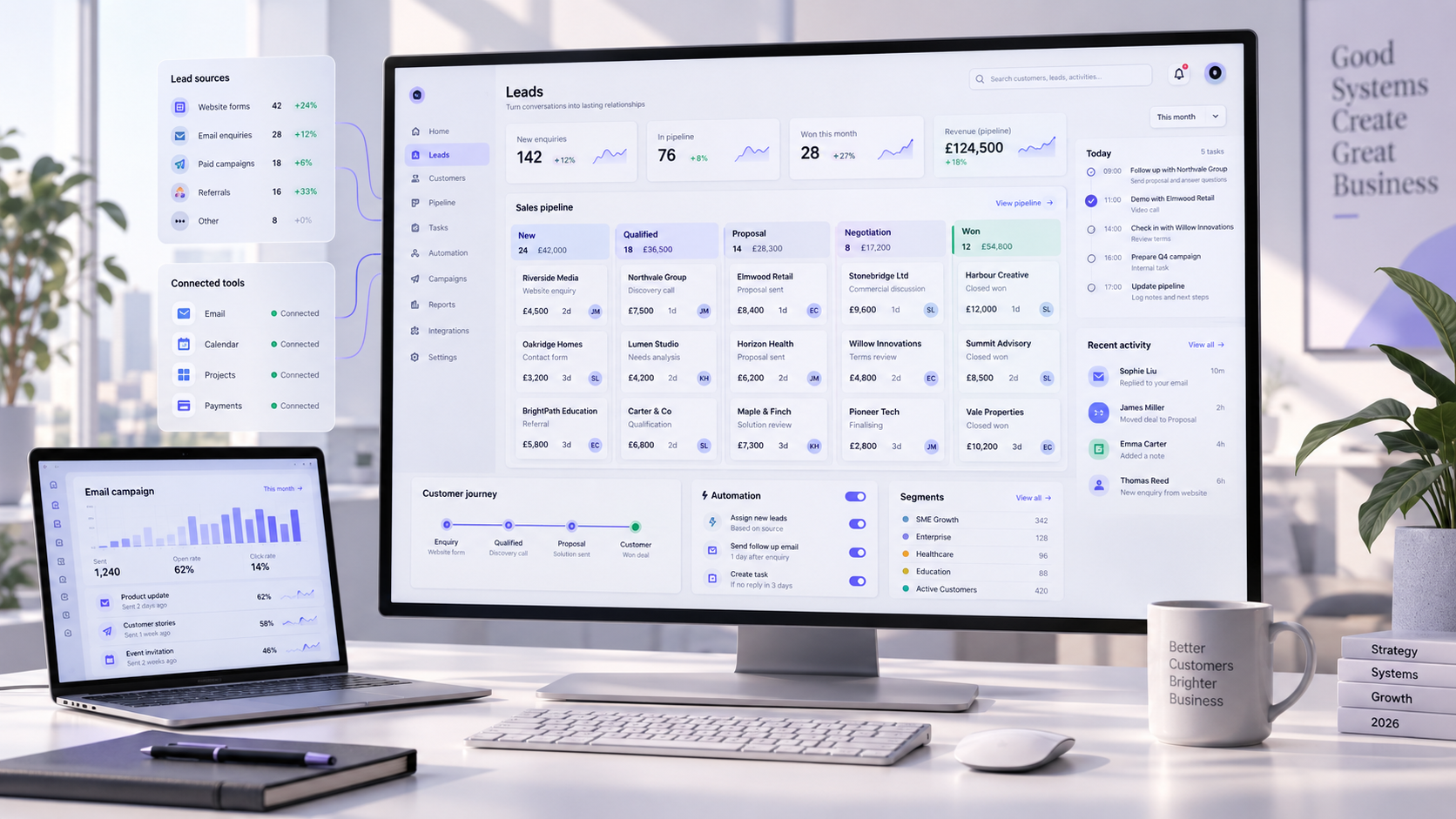
CRM implementation is not simply the installation of sales software. It is the design of a shared operating system for customer information, responsibilities, follow-ups and decisions across the business.
The strongest implementations begin with customer workflows and ownership, not software features. The platform should make good work easier, reduce uncertainty and give every authorised user a dependable view of what has happened and what needs to happen next.
Define the business outcomes before the CRM features
A CRM project becomes difficult when the brief is only “organise our contacts” or “improve sales”. Those goals are too broad to guide configuration, ownership or measurement.
Start with the operational changes the business needs. This may include faster response to enquiries, clearer pipeline visibility, fewer missed follow-ups, better forecasting or a complete history of customer communication.
Turn each business goal into a measurable CRM requirement
- Name the workflow or decision that needs to improve.
- Record the current delay, error rate or manual effort.
- Identify the person accountable for the final result.
- Define which customer information the team actually needs.
- Choose one metric that proves the change creates value.
- Separate launch requirements from useful future enhancements.
Configure the system around a business outcome, not around a feature list.
Map the customer journey and assign ownership
Before creating stages and fields, map how a person moves from first enquiry to qualified opportunity, active customer and ongoing relationship. Include the moments when responsibility moves between marketing, sales, delivery and support.
Each stage needs a clear entry condition, required action, accountable owner and definition of completion. This prevents the CRM becoming a collection of vague statuses that different people interpret differently.
Give every handoff a trigger, owner and next action
Define the event or information that moves the record forward.
Assign responsibility to a role or person, not to “the team”.
Make the next useful task and expected timing unambiguous.
Choose a CRM platform that fits the operating model
The right platform is the one that supports the required workflows without forcing the team into unnecessary complexity. Compare systems against real use cases, integration needs, reporting requirements, security and long-term ownership.
A controlled test with realistic customer records is more useful than a feature demonstration. Ask the people who will use the system to complete common tasks and identify where the process feels unclear or slow.
Evaluate the complete system, not the software in isolation
Include implementation effort, data migration, user permissions, integrations, training and ongoing administration in the decision. A cheaper licence can become expensive if the surrounding workflow requires constant manual repair.
“The best CRM is not the platform with the longest feature list. It is the one that fits the way the business serves customers and can be maintained well.”
Design a clean CRM data model and field structure
A useful CRM distinguishes people, companies, enquiries, opportunities, projects and support cases. Each record type should have a clear purpose, a responsible owner and only the fields required for action, reporting or compliance.
Too many fields discourage accurate entry. Too few fields make segmentation and decisions unreliable. Use consistent names, controlled options and validation wherever the same information must be compared across records.
Protect the fields that drive workflows and reporting
- Define a unique identifier for people and organisations.
- Standardise lifecycle, pipeline and status values.
- Make only genuinely essential information mandatory.
- Document who can create, edit and delete each record type.
- Record the source and consent status where applicable.
- Retire duplicate fields instead of creating another version.
Clean and migrate customer data carefully
Migration is an opportunity to improve the data, not simply copy every old field into a new database. Profile the source files first and identify duplicates, incomplete records, inconsistent formats, obsolete contacts and unclear ownership.
Map each source field to its destination, test the import with a small sample and reconcile totals after every migration stage. Keep an approved backup and a clear rollback plan until the new CRM has been validated.
Use a migration checklist before the final import
Build pipelines, tasks and automation around real work
Automation should remove predictable administration while keeping important commercial decisions visible. Useful workflows can assign new enquiries, create follow-up tasks, send internal alerts, update stages and prepare approved messages.
Begin with stable rules and a small number of high-value workflows. Add more advanced AI and automation only where interpretation or variable information makes simple rules insufficient.
Automate the next action without hiding accountability
Each automation needs a clear trigger, conditions, action, owner and failure path. The team should know what the system completed, what it could not complete and where a person must decide.
Integrate the CRM with the website and business tools
The CRM should not become another isolated database. Connect it with the website, email, calendar, marketing, project delivery, support and reporting tools that already shape the customer journey.
Define which system owns each type of information and which changes should sync. This prevents contradictory records, repeated data entry and integrations that overwrite trustworthy data with incomplete updates.
Design every integration with ownership and failure handling
- Document the source of truth for every important field.
- Send website enquiries directly into the correct CRM process.
- Keep customer communication attached to the right record.
- Use controlled identifiers to prevent duplicate contacts.
- Log failed transfers and alert a responsible owner.
- Test permissions and field mapping before enabling live sync.
Set permissions, security and data governance
CRM data may include personal details, commercial terms, communication history and internal notes. Access should match each role, with greater control over exports, deletions, configuration and sensitive fields.
Establish retention, consent, correction and deletion procedures before launch. Review administrator access regularly and keep an audit trail for important configuration or record changes.
Make governance part of normal CRM operation
Security is not a one-time launch task. It needs named owners, documented rules, recurring access reviews and a clear response when data is incorrect, duplicated or handled outside the approved process.
Train the team and make CRM adoption measurable
CRM adoption improves when the system helps people complete real work. Train each role using its own daily scenarios: handling a new enquiry, updating an opportunity, recording a decision, handing work over or preparing a forecast.
Provide short guidance inside the workflow, name internal champions and create a route for reporting friction. If people maintain shadow spreadsheets, investigate what the CRM is failing to make clear or efficient.
Track behaviour that shows the system is genuinely used
Login counts alone do not prove adoption. Measure whether records are complete, next actions are current, opportunities move consistently and customer handoffs happen without missing context.
Measure CRM performance and improve continuously
After launch, compare the new process with the original business baseline. Review response time, follow-up completion, conversion between stages, pipeline ageing, forecast reliability, data quality and customer retention where relevant.
Combine quantitative reports with feedback from the people doing the work. A dashboard can reveal that opportunities are stalling; user conversations can explain whether the cause is unclear criteria, missing information or process friction.
Treat the CRM as a managed business system
- Review the core outcome metrics on an agreed schedule.
- Monitor data quality and duplicate creation.
- Remove fields and automations that no longer serve a purpose.
- Test important workflows after platform or integration changes.
- Prioritise improvements according to business value and user friction.
- Keep configuration decisions and owners documented.
If you need help planning, configuring or connecting the complete system, explore ANDER's CRM and business systems services.
How to plan the first 90 days of CRM implementation
A phased implementation protects the project from unnecessary complexity. Use the first 90 days to prove one complete customer workflow, establish trustworthy data and help a defined group of users build confidence in the system.
Start with a controlled operational scope
During the first phase, confirm outcomes, map the workflow, prepare the data and configure only the records, stages, permissions and integrations required for that scope. Test with real scenarios before the final migration and launch. When website enquiries feed the CRM, follow the website form–CRM integration guide to validate field mapping, duplicate handling, ownership, alerts and the complete submit-to-response path.
Expand after the team trusts the system
Use the next phase to repair friction, strengthen reporting and add further teams or automation. Expansion should build on proven ownership and clean data, not multiply an unclear process across the business. To understand how ANDER approaches connected digital delivery more broadly, explore our client case studies.
Use this CRM launch-readiness checklist
Define acceptance criteria before go-live
Mapped records, owners and history match the approved migration sample.
Each trigger, stage, task, notification and exception follows the agreed process.
Real users complete priority scenarios and know where to report friction.
Frequently asked questions
How long does CRM implementation take?
The timeline depends on workflow complexity, data and integrations
A focused CRM implementation for one team can take several weeks, while a multi-team system with complex migration and integrations may require several months. The safest plan uses defined phases, acceptance criteria and real-user testing.
Which CRM platform is best for our business?
The best platform is the one that fits your workflows and ownership
Compare CRM platforms against your customer journey, team size, reporting, integrations, security requirements and ability to maintain the system. Test common tasks with realistic data before choosing a platform.
Can we migrate data from spreadsheets or an old CRM?
Yes, after the source data is mapped, cleaned and tested
Contacts, companies, opportunities and activity history can often be migrated from spreadsheets or another CRM. The process should include duplicate rules, field mapping, a sample import, owner validation and final reconciliation.
Why do CRM implementations fail?
Most failures begin with unclear processes, poor data or weak adoption
CRM projects struggle when software is configured before outcomes and ownership are clear, unreliable data is migrated without cleaning, or users are trained on features rather than real work. A phased rollout makes these risks easier to control.